
Library Management & Integrity Audits
YTMDL organizes music into a media-server-ready folder hierarchy with strict metadata standards.
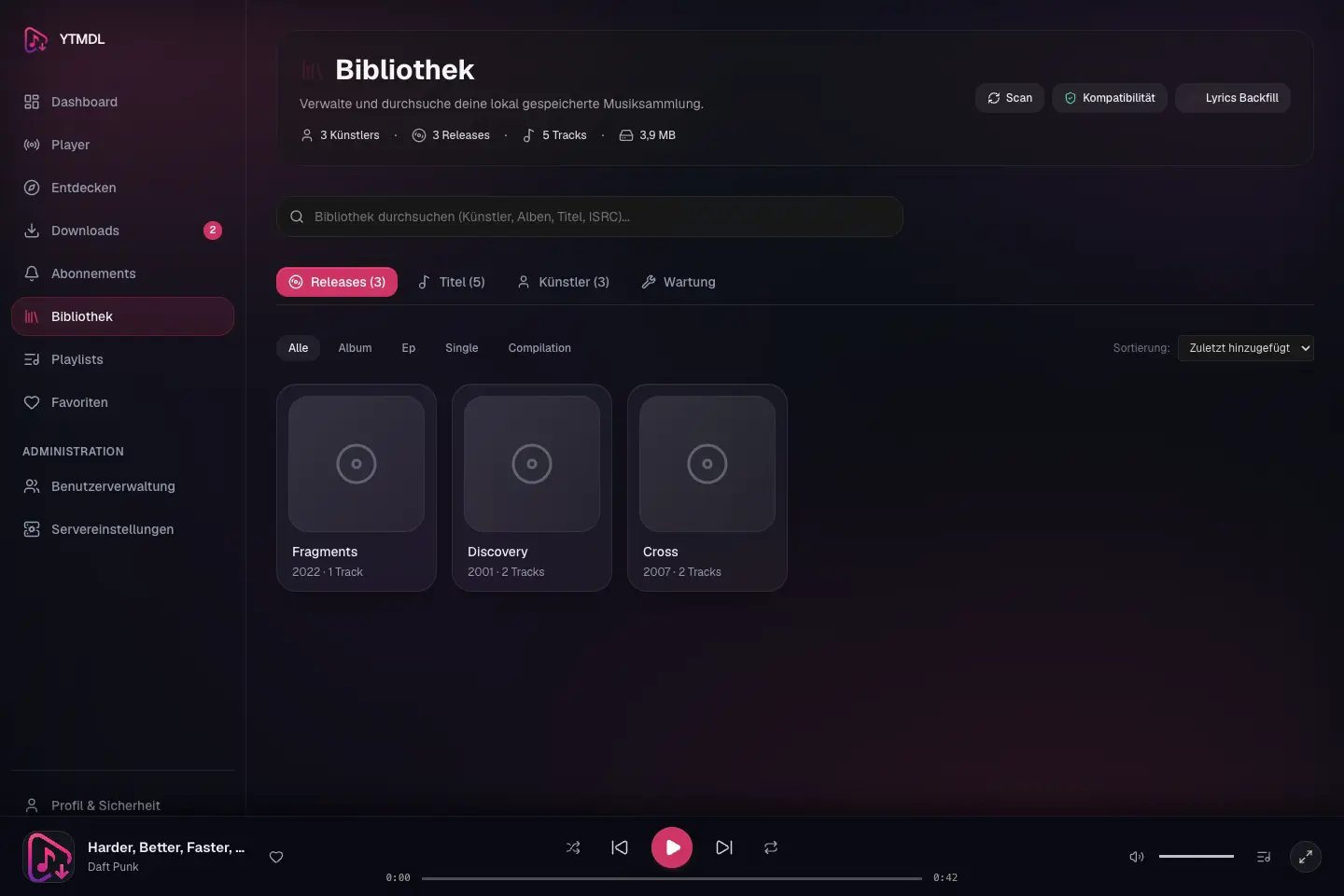
Directory Layout
/music/
├── Pink Floyd/
│   ├── 1973 - The Dark Side of the Moon/
│   │   ├── 01 - Speak to Me.opus
│   │   ├── 01 - Speak to Me.lrc
│   │   ├── ...
│ │ └── cover.jpg- Multi-disc releases stay in one folder; the disc number and a hyphen come first (
1-01 - Track.opus,2-01 - Track.opus). - Standard Vorbis comments are embedded directly into each file (TITLE, ARTIST, ALBUM, ALBUMARTIST, DATE, TRACKNUMBER, DISCNUMBER).
File Names
A track is named NN - Title.ext inside Artist/YYYY - Album/. Singles, EPs, live albums, compilations and remix releases carry their type in the folder name: 2011 - Letting Go [Single].
Multi-disc releases.
D-NN - Title.ext: disc 2, track 2 is2-02 - Title.opus, and track 105 on disc 2 is2-105 - Title.opus. All discs share the release folder; there are no disc subfolders. A single-disc release keeps02 - Title.opus. Plex, Jellyfin and Emby take disc and track from the tags, which are written independently of the name.Edition notes stay.
(Remastered 2015),- Single Versionor(feat. X)in a provider's title are part of the file name exactly as the provider spells them.Characters a filesystem refuses are replaced by their fullwidth look-alikes, so a name stays readable and two titles never collapse into one:
Character Becomes Example //AC/DC→AC/DC\\::Live: Part 1→Live: Part 1**??Who?→Who?""<><>||Control and zero-width characters are removed, runs of whitespace collapse to one space, leading and trailing dots and spaces are trimmed, and Windows device names such as
CONget a leading_. A name is at most 120 characters and 240 bytes; the fullwidth characters take three bytes each in UTF-8, and a name is never cut inside a character.Two recordings of the same name. When a different recording already holds a name, the new file gets a stable suffix derived from its source:
01 - Title [source-1a2b3c4d5e6f7a8b].opus. Nothing is ever overwritten.Cover and lyrics.
cover.jpg(orcover.pngfor PNG artwork) sits in the release folder; the.lrc/.txtlyrics file has the track's name with another extension.
Moving an existing library to the current names
Up to v1.4, refused characters became - or _ (AC/DC was stored as AC-DC) and disc 2, track 2 was 202 - Title. After updating, the backend moves an existing library to the current names by itself, about 15 seconds after it starts, in the background. Downloads and the web interface keep working while it runs; its progress is in the backend log (library naming migration ...).
- What moves. Only catalogued files whose path is exactly what the old rules produced from the catalog. With each track go its
.lrc/.txtfile, and once a release folder holds no audio any more, its cover and every other file in it (an.nfo, artwork a media server stored). Folders that end up empty are removed, and only those. Files whose path differs for another reason are left to the integrity audit. - What it never does. It never overwrites or deletes a file. A file is given its new name by a hard link; where the filesystem has none (some SMB mounts), it is copied, read back and compared with the original's SHA-256 before the original is removed. If the new name is taken, the checksum does not match, or the catalog cannot be updated, the file and its catalog entry stay where they were and the reason is recorded. The next start tries those files again.
- When the library is not reachable (the storage guard marker is missing, the share is read-only, or not one catalogued file is found, as with an empty mount point), nothing is touched and the move is retried every ten minutes.
- Interruptions. Each move is journalled in the database before a file is touched. After a crash or restart, every file is at its old or its new path with the catalog agreeing, and the run resumes where it stopped.
- Collisions. Two tracks that only differed by a refused character used to share a name, and the second download got a
[source-…]suffix. They are apart now, and the second one gets its plain name back. Two tracks that share a name only under the new rules (a title spelledWho?and one spelledWho?) are told apart with the same suffix a download would use. Releases that shared a folder under the old rules (AC/DCandAC-DC) get separate folders; the cover is copied into each, and anything else stays in the old folder. - Trash. A song in the trash keeps the path it had when it was deleted. Restored after the move, it comes back under its current name, next to the rest of its release.
- Once. When a run finishes with nothing left behind, the database records that the library follows the current scheme (
library.naming_schemein the settings table), and later starts do nothing. A future change of the rules runs again. - Status.
GET /api/v1/library/naming-migrationshows the state, the counts and every file that was left in place with the reason. Files left in place also appear in the next integrity audit as path mismatches with a move to canonical path repair.
Media servers
Plex, Jellyfin and Emby find files by path. After the move, their next library scan sees the old paths disappear and new ones appear. All three match the new files by their tags and their folder, so albums and artists stay as they were, but depending on the server and its settings play counts, ratings, playlists and "recently added" dates attached to the old paths may be lost or reset, and the scan of a large library takes a while. Navidrome keys tracks by path as well. To pick the moment yourself, set MUSICDL_LIBRARY_AUTO_RENAME=false before updating; the library then keeps its old names, new downloads use the new ones, and the integrity audit lists every old name as a path mismatch. Set it back to true (or remove it) and restart the backend when you are ready, then let the media server rescan.
Non-Destructive Auditing Engine
- Quick Audit: Validates folder structures, missing cover art, and missing lyrics sidecars.
- Deep Audit: Verifies Vorbis tag consistency, embedded art dimensions, and audio stream integrity via
ffprobe. - Repair Preview: Generates an atomic diff preview before renaming files or rewriting tag blocks. Destructive actions require Administrator privileges.
Canonical Artist Identity (Schema 9)
Starting with v0.17, YTMDL decouples internal artist identity from external provider IDs:
- Canonical UUID Identity:
artists.idis a stable UUIDv4 serving as the single source of truth across your library. - Multi-Provider Sources (
artist_sources): External IDs from Spotify, YouTube Music, and Deezer are recorded inartist_sources (artist_id, provider, provider_artist_id)with timestamps and provenance metadata. A single artist can be linked to multiple providers simultaneously without data loss or collision. - Lossless Ingestion: Downloads and subscription synchronizations preserve the upstream provider source and record provenance on each track and artist entity.
Host Maintenance Tools
YTMDL provides administrative CLI commands in ytmdlctl for managing artist entities directly on the host:
Reconcile Artists
Audits and reconciles artist metadata across providers:
# Dry-run preview
ytmdlctl reconcile-artists --dry-run

# Execute reconciliation
ytmdlctl reconcile-artists
Merge Artists
Explicitly consolidates duplicate artist entries into a single canonical artist:
# Merge source artist into target artist
ytmdlctl merge-artists --target <TARGET_ARTIST_UUID> --source <SOURCE_ARTIST_UUID>
All albums, tracks, and provider sources from the source artist are re-linked to the target, and the source artist is safely pruned.
Local Library Search & Multi-Facet Filters
Starting with v0.24, YTMDL provides fast, live search and multi-facet filtering directly within your indexed local library.
IMPORTANT
Local Library vs. Acquisition Discovery: Local Library search operates exclusively on already-indexed tracks, releases, and artists in your local database. It does not query external providers (YouTube, YouTube Music, SoundCloud, Deezer), does not discover external metadata, and does not schedule download jobs. To search external services and download new media, use the Downloads or Subscriptions views.
Search Capabilities & Semantics
- Instant Flyout Search: Typing in the global search field displays a debounced flyout grouping top matches into Künstler (Artists), Alben & Releases (Releases), and Titel (Tracks).
- Playback from Search: Selecting a track in the flyout queues the visible results and immediately begins playback.
- Deterministic Ranking: Free-text queries match artist names, release titles, and track titles using exact, prefix, and substring scoring with deterministic secondary tie-breakers (
created_at DESC, id DESC). - Literal Matching & Escaping: Free-text matching is case-insensitive, Unicode-safe, and literally escapes wildcards (
%,_,\).
Multi-Facet Track Filtering
When viewing the Tracks tab in the Library, you can combine multiple filters:
- Free-Text (
q): Free-form search term. - Canonical Artist (
artistId): Filter by canonical artist entity. - Canonical Release (
releaseId): Filter by release entity. - Release Year (
year): Filter by specific four-digit release year. - Favorites (
favorite): Filter exclusively to the authenticated user's favorited tracks.
URL & Navigation State
Search queries, filter chips, view tabs, and sort parameters are automatically reflected in browser URL query parameters (/library?view=tracks&q=...&sort=title&order=asc). Browser Back and Forward buttons accurately restore search state without interrupting persistent audio playback in the MiniPlayer.