
Update Detection & Releases
Starting with v0.15, YTMDL provides native update detection within the WebUI. Starting with v0.16, YTMDL introduces ytmdlctl, an official host-side lifecycle and update management CLI for transactional updates, verified database backups, and schema-neutral rollback. Starting with v0.17, ytmdlctl adds full schema-forward update orchestration (Schema 8 → 9), quiescent pre-migration backups, and explicit crash-boundary recovery (ytmdlctl recover).
Stable Release Distribution
Development, pull requests, issues, documentation, and releases are maintained in Der-Felix/ytmdl on GitHub. Feature branches start from dev and integrate through a reviewed PR. main holds the reviewed stable state; release tags and container publishing are separate steps. See the development guide.
Public container images are published to the GitHub Container Registry (GHCR):
ghcr.io/der-felix/ytmdl-backend:<version>ghcr.io/der-felix/ytmdl-frontend:<version>
Platform & Architecture Support
IMPORTANT
Container vs. CLI Architecture:
- YTMDL Application Containers: Native multi-platform images published for both
linux/amd64andlinux/arm64(Apple Silicon, ARM64 servers, Raspberry Pi 4/5). ytmdlctlHost CLI: Provided as standalone native binaries forlinux/amd64,linux/arm64,darwin/amd64, anddarwin/arm64.- Windows: Windows is explicitly not supported.
On macOS, ytmdlctl runs natively on Darwin (darwin/arm64 or darwin/amd64) and controls a rootless Podman Machine or Docker daemon through the standard CLI.
How Update Detection Works
- GitHub Releases API: The YTMDL backend queries the official GitHub API on a background schedule (default: once per hour) —
GET /repos/Der-Felix/ytmdl/releases/lateston the stable channel, the recent release list on the development channel. - SemVer Comparison: The installed version is compared with the newest release of the chosen update channel using Semantic Versioning 2.0.0, prereleases included:
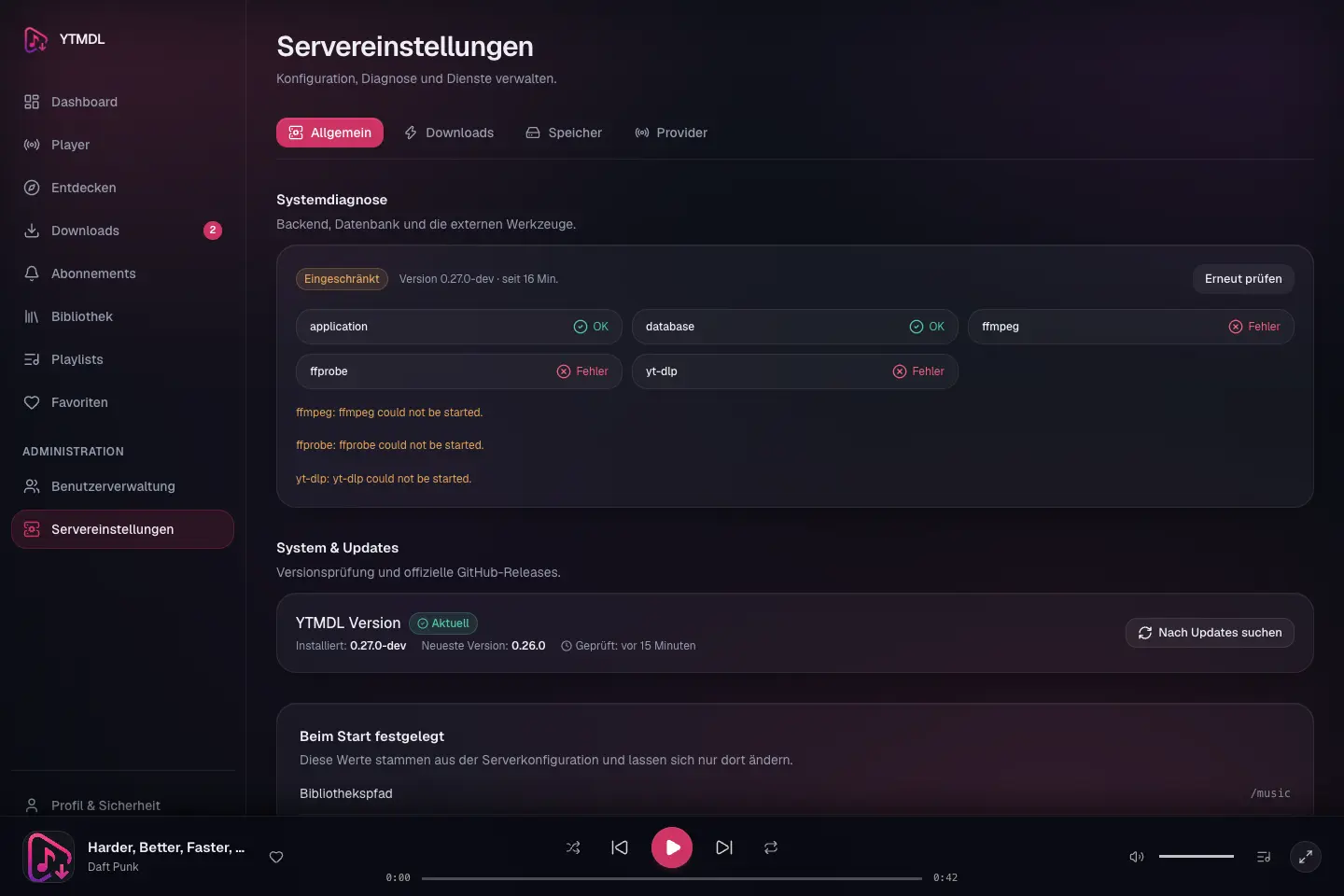
0.27.2-rc.1<0.27.2-rc.2<0.27.2-rc.10<0.27.2. Drafts are never offered. - WebUI Notifications: Settings → System & Updates shows the channel, the installed version, the available target version (prereleases are marked as such), the release notes and the exact host commands. A failed check says so — a network or GitHub problem is never shown as "up to date".
The check is read-only. It never installs, restarts or downgrades anything; installing is always done with ytmdlctl on the host.
Upgrade to v1.6.0
Use the checksum-verified v1.6.0 CLI from the v1.6.0 release. Run ytmdlctl update --channel stable --target 1.6.0 --dry-run before ytmdlctl update --channel stable --target 1.6.0.
The update migrates the database to schema 19, which adds one column to the track table and rewrites no row. The release qualifies v0.28.1, v1.0.0, v1.1.1, v1.2.0, v1.3.0, v1.4.0, v1.4.1 and v1.5.0 sources with Docker and rootless Podman. Preserve private configuration, proxy settings, mounts, cookies and the database volume, and verify a database backup before updating.
The backend carries stored track identities over after the update. About 15 seconds after the new backend starts, it rewrites the identity keys that 1.3.0 and earlier stored for unbracketed remix titles to the current form, in the background and one track at a time. No file is touched. A track whose new key another track already carries, or whose stored key no longer follows from its stored title and artists, keeps its old key and is still found as before; GET /api/v1/library/identity-migration lists such tracks with the reason, and they are looked at again on every start. To keep the stored keys, add MUSICDL_LIBRARY_IDENTITY_MIGRATION=false to .env.
A download that finishes while the library storage is unreachable is now kept in staging and only moved when the library returns. Downloads staged by an earlier version are downloaded once more after the update.
Upgrade to v1.5.0
Use the checksum-verified v1.5.0 CLI from the v1.5.0 release. Run ytmdlctl update --channel stable --target 1.5.0 --dry-run before ytmdlctl update --channel stable --target 1.5.0.
The database stays at schema 18; this release needs no migration. It changes how files are named and brings new features to the web interface. The release qualifies v0.28.1, v1.0.0, v1.1.1, v1.2.0, v1.3.0, v1.4.0 and v1.4.1 sources with Docker and rootless Podman. Preserve private configuration, proxy settings, mounts, cookies and the database volume, and verify a database backup before updating.
File names change, and the backend renames existing files after the update. Characters a filesystem refuses become fullwidth look-alikes instead of - and _ (AC/DC is now stored as AC/DC, Who? as Who?), and a multi-disc track is 2-02 - Title instead of 202 - Title. About 15 seconds after the new backend starts, it moves an existing library to these names in the background: tracks with their lyrics files, covers and anything else in the release folder. It never overwrites a file, checks every copy against the original's SHA-256, waits while the library storage is unreachable, resumes after a restart, and runs once. On a mount without hard links (some SMB shares) each file is copied and verified instead, which takes long for a large library. Its progress is in the backend log and in the library's maintenance tab; GET /api/v1/library/naming-migration lists anything it left in place. Details: moving an existing library.
Media servers that track files by path (Plex, Jellyfin, Emby, Navidrome) see the old paths disappear and new ones appear at their next scan; play counts, ratings and "recently added" dates tied to a path may be lost, depending on the server. To choose the moment yourself, add MUSICDL_LIBRARY_AUTO_RENAME=false to .envbefore updating, and remove it (then restart the backend and rescan the media server) when you are ready.
Upgrade to v1.4.1
Use the checksum-verified v1.4.1 CLI from the v1.4.1 release. Run ytmdlctl update --channel stable --target 1.4.1 --dry-run before ytmdlctl update --channel stable --target 1.4.1.
The database stays at schema 18; this release needs no migration. It fixes a sign-in error that could appear right after opening the page and recognises live albums whose title does not say "live". The release qualifies v0.28.1, v1.0.0, v1.1.1, v1.2.0, v1.3.0 and v1.4.0 sources with Docker and rootless Podman. Preserve private configuration, proxy settings, mounts, cookies and the database volume, and verify a database backup before updating.
Existing sessions stay signed in; nobody has to sign in again after the update.
Three changes are visible in the library. After the update a subscription sync may queue studio recordings that were counted as present before, because a live album that was not recognised had taken their place. An album that is now recognised as live gets the [Live] folder suffix for new downloads and is left out by the default release filter unless Live is enabled. A live track without a live source now fails to match instead of taking the studio recording.
Scripts and other API clients that start without a CSRF cookie must call GET /api/v1/auth/status first; a signed-out client receives its CSRF cookie only from that endpoint.
Upgrade to v1.4.0
Use the checksum-verified v1.4.0 CLI from the v1.4.0 release. Run ytmdlctl update --channel stable --target 1.4.0 --dry-run before ytmdlctl update --channel stable --target 1.4.0.
The database stays at schema 18; this release needs no migration. It brings a new look for the web interface and the fixes from a full code review. The release qualifies v0.28.1, v1.0.0, v1.1.1, v1.2.0 and v1.3.0 sources with Docker and rootless Podman. Preserve private configuration, proxy settings, mounts, cookies and the database volume, and verify a database backup before updating.
There are no v1.3.1 and v1.3.2 releases. Their release runs stopped after the container images had been pushed, so 1.3.1 and 1.3.2 image tags exist on GHCR without a release; v1.4.0 contains their changes.
Four changes are visible after the update. The web interface has a new, flat theme; clear the browser cache if an old style sheet is still shown. Reorganizing the library now requires an administrator. The bundled frontend refuses to be embedded in a page of another origin. A studio recording that was skipped because a live album listed the same song under its plain title counts as missing again, so the next subscription sync may queue recordings it reported as present before.
Upgrade to v1.3.0
Use the checksum-verified v1.3.0 CLI from the v1.3.0 release. Run ytmdlctl update --channel stable --target 1.3.0 --dry-run before ytmdlctl update --channel stable --target 1.3.0.
The database stays at schema 18; this release needs no migration. It adds device-code sign-in for TV clients, a usable web playlist view and clearer download failure messages. The release qualifies v0.28.1, v1.0.0, v1.1.1 and v1.2.0 sources with Docker and rootless Podman. Preserve private configuration, proxy settings, mounts, cookies and the database volume, and verify a database backup before updating.
The bundled frontend now sets X-Forwarded-For to the connecting address. If you run your own reverse proxy in front of it, per-address limits see the proxy's address; see Tips.
Upgrade to v1.2.0
Use the checksum-verified v1.2.0 CLI from the v1.2.0 release. Run ytmdlctl update --channel stable --target 1.2.0 --dry-run before ytmdlctl update --channel stable --target 1.2.0.
Additive migrations 0016–0018 add duplicate trash, audio fingerprints and device handoff, reaching schema 18. Song radio and browser-local offline copies need no additional schema. The release qualifies v0.28.1, v1.0.0 and v1.1.1 sources with Docker and rootless Podman, both with a verified storage guard and an explicitly disabled guard. Missing or mismatched configured storage still blocks updates. Preserve private configuration, proxy settings, mounts, cookies and the database volume. Verify a database backup and protect music separately. Full schema rollback requires restoring the backup; a database dump does not contain audio. The upgrade never removes songs or automatically starts audio analysis.
See library tools for the new menu locations, seven-day trash scope and offline HTTPS/browser-storage limits.
Upgrade to v1.1.1
Use the checksum-verified v1.1.1 CLI from the v1.1.1 release. Run ytmdlctl update --channel stable --target 1.1.1 --dry-run before ytmdlctl update --channel stable --target 1.1.1.
The v1.1 release adds the new player/library tools and migrates schema 12–14 to 15. Use the checksum-verified CLI and the Compose files from the selected release. Keep private configuration, proxy settings, mounts, cookies and the database volume. Run the managed update dry run first; do not use the fresh installer on an existing installation. Protect media separately and verify the database backup: schema rollback requires restoration. The upgrade never deletes duplicate candidates; deletion is an explicit administrator action inside the review UI. For a release candidate, select the development channel and exact -rc.N target.
Upgrade to v1.0.0
Use the verified v1.0.0 ytmdlctl binary for your host platform from the v1.0.0 release. Preserve .env, music/data mounts, cookies, database volume and local overrides. Do not run the fresh installer against an existing installation.
Extract the checked installation archive in a separate directory and copy only compose.ghcr.yaml and compose.ghcr.podman.yaml into the existing project. Retain the existing database volume name and review local adaptations. The v1 CLI selects the Podman mapping file automatically, before the host override. A backend/frontend image pinned in compose.ghcr.override.yaml must be removed or updated to the exact target before the preflight can pass.
# Substitute your platform, engine and installation directory.
sha256sum --ignore-missing -c SHA256SUMS
# macOS: shasum -a 256 --ignore-missing -c SHA256SUMS
chmod +x ./ytmdlctl-linux-amd64
./ytmdlctl-linux-amd64 --project-dir /path/to/ytmdl --engine docker update --target 1.0.0 --dry-run
./ytmdlctl-linux-amd64 --project-dir /path/to/ytmdl --engine docker update --target 1.0.0
The v0.28.0 CLI refuses updates when Storage Identity Guard is disabled; using the new CLI avoids that old preflight bug. Configured storage must still be verified: missing, mismatched or unavailable markers block an update. Schema stays at 12 and no database migration is required. Combined-stream fallback stays off unless deliberately enabled. Take and verify a backup first; also protect music files, configuration and cookies separately from the database.
Update Channels
| Channel | Offers | Source |
|---|---|---|
| Stable (default) | Regular, published releases only — never drafts or prereleases | main; images also tagged latest |
| Development | Explicitly published, qualified prereleases (vX.Y.Z-rc.N) | dev; never tagged latest |
Existing and new installations follow Stable. An administrator switches the channel deliberately in Settings → System & Updates; the choice is stored in the installation's settings and takes effect immediately, without an update or a container restart.
Every installable release has a unique version, its source commit, immutable multi-arch image digests, SHA256SUMS and a release-manifest.json that pins them. A moving image tag is never the basis of an update. Release candidates use manifest version 4, which adds the source commit and the channel; they can only be installed with the ytmdlctl binary of the same release.
Which channel ytmdlctl uses
--channel stable|developmenton the command line — for that invocation only;- otherwise the channel chosen in the UI (read from the installation's database);
- otherwise Stable.
ytmdlctl never changes the stored channel, and it prints a note when --channel differs from it.
ytmdlctl check                                     # newest release of the installation's channel
ytmdlctl check --channel development               # newest qualified prerelease
ytmdlctl update --channel development --target 0.27.2-rc.2 --dry-run
ytmdlctl update --channel development --target 0.27.2-rc.2
--target installs exactly that version. A prerelease target requires the development channel.
Installing a release candidate
Use the ytmdlctl binary of the release candidate itself:
VERSION="0.27.2-rc.2"
ARCH="linux-amd64"   # or linux-arm64, darwin-amd64, darwin-arm64
curl -LO "https://github.com/Der-Felix/ytmdl/releases/download/v${VERSION}/ytmdlctl-${ARCH}"
curl -LO "https://github.com/Der-Felix/ytmdl/releases/download/v${VERSION}/SHA256SUMS"
sha256sum --ignore-missing -c SHA256SUMS      # macOS: shasum -a 256 --ignore-missing -c SHA256SUMS
chmod +x "ytmdlctl-${ARCH}"
./ytmdlctl-${ARCH} --project-dir /path/to/ytmdl update --channel development --target "${VERSION}" --dry-run
./ytmdlctl-${ARCH} --project-dir /path/to/ytmdl update --channel development --target "${VERSION}"
Backup, Storage Guard, manifest and digest verification, the update transaction and the local compose.ghcr.override.yaml apply exactly as for stable releases.
Returning to Stable
Switching from Development back to Stable never downgrades anything. If the installed prerelease is newer than the latest stable release, the UI and ytmdlctl check report that and offer no update; the prerelease keeps running until a newer stable release exists (for example 0.27.2 after 0.27.2-rc.1).
To return to an older release explicitly, use the verified paths only:
ytmdlctl rollback— directly after an update, while the database schema is unchanged and the previous images are still present;ytmdlctl recover statusandytmdlctl recover restore— restore from the pre-update backup.
A green CI run is not live throughput
A published release candidate has passed CI, the release qualification and the artifact verification. That shows the code and the artifacts are consistent — it does not show acquisition throughput against real providers. Throughput claims need a separately authorized operating run that counts new verified acquisitions, provider requests, rate limits, cooldown time and failure reasons per hour (see the throughput summary log line).
Privacy & Network Transparency
- No Telemetry: YTMDL does not transmit library sizes, usernames, music data, or host metrics to GitHub. The update check is a plain anonymous HTTP GET request to the public GitHub Releases endpoint.
- Can Be Disabled: Administrators can completely disable outbound update checks by configuring:shWhen disabled, no external network requests are made.
MUSICDL_UPDATE_CHECKS_ENABLED=false
Installing ytmdlctl
ytmdlctl is distributed as standalone, statically compiled binaries attached to every official GitHub Release. No package manager or external runtime dependencies (such as Python or Node.js) are required.
TIP
Security Best Practice: Always verify release checksums against SHA256SUMS before running the binary. We do not recommend piping remote shell scripts directly into bash.
Installation Steps
Download the binary and checksums for your platform:
sh# Example for Linux (x86_64 / amd64): VERSION="1.0.0" curl -LO "https://github.com/Der-Felix/ytmdl/releases/download/v${VERSION}/ytmdlctl-linux-amd64" curl -LO "https://github.com/Der-Felix/ytmdl/releases/download/v${VERSION}/SHA256SUMS"Verify SHA256 checksum:
shsha256sum --ignore-missing -c SHA256SUMS # Expected output: ytmdlctl-linux-amd64: OKInstall to system PATH:
shchmod +x ytmdlctl-linux-amd64 sudo mv ytmdlctl-linux-amd64 /usr/local/bin/ytmdlctlVerify installation:
shytmdlctl version
Managed Updates with ytmdlctl
ytmdlctl executes transactional, verified updates designed to prevent service disruption, corrupted states, and data loss.
1. Check for Releases
Inspect available official releases and your local deployment status:
ytmdlctl check2. Run Preflight Dry-Run
Before applying changes, perform a full read-only safety check:
ytmdlctl update --dry-runThe dry-run verifies:
- Compose file and engine compatibility
- Container health and current application version
- Database schema compatibility and rollback classification
- Storage Guard filesystem token validity
- Active download queue state
- Release manifest schema and cryptographic image digest availability
Development builds additionally check that the effective backend and frontend image references resolve to the target release, including compose.ghcr.override.yaml. The published v0.28.0 and v0.28.1 dry runs do not perform this check; their actual update still rejects mismatched images before pulling or restarting containers.
A temporary local hotfix may pin an image: in the host override. Once its fix is included in the target release, remove only that temporary image pin before updating. Keep proxy settings, mounts, cookie configuration and other host settings. Changing YTMDL_VERSION alone cannot override a fixed image reference.
3. Apply Update
When ready, execute the update:
ytmdlctl updateWhat Happens During Update:
- Preflight & Lock: Acquires an exclusive host lock (
.ytmdl/update.lock) and verifies ambient configuration. - Runtime Snapshot: Captures running container image IDs and digest sets for exact rollback reference.
- Target Image Staging: Pre-pulls target images and strictly verifies immutable digests against
release-manifest.json. - Transactional Database Backup: Dumps PostgreSQL using custom-format
pg_dump -Fcand verifies it withpg_restore --list. - Durable State Persistence: Persists transaction state (
PREPARED$\rightarrow$MUTATING) to.ytmdl/update-state.jsonbefore touching configuration. - Surgical Config Update: Updates
YTMDL_VERSIONin.envatomically while preserving all comments and custom formatting. - Service Cutover: Recreates the backend, waits for health readiness, verifies database schema, verifies Storage Guard, then cutovers frontend.
- Final State: Sets transaction status to
SUCCESS. The pre-update database backup is retained inbackups/.
Database Backups
You can create a standalone, verified PostgreSQL database backup at any time without initiating an update:
ytmdlctl backup- Format: PostgreSQL custom archive format (
pg_dump -Fc). - Validation: Every backup is automatically verified using
pg_restore --listto guarantee structural integrity. - Location: Saved under
backups/backup_v<version>_<timestamp>.dump. - Independence: Does not require access to GitHub or active storage mounts.
Rollback & Safety Invariants
If an update is interrupted or an issue occurs with the new version, you can revert to the previous working state:
ytmdlctl rollbackSchema-Neutral Rollback Policy
- Automatic & Safe: Rollback is supported when the target release is classified as
schema_neutraland the database schema has not drifted (schema == schemaBefore). - Schema Drift Protection: If the database schema was modified or cannot be safely determined,
ytmdlctltransitions to theRECOVERY_REQUIREDstate and refuses automatic database restoration. This prevents silent data loss or overwriting user data. - Preserved Backups: The pre-update backup remains safely stored in
backups/for manual administrative inspection.
Schema-Forward Updates & Disaster Recovery (v0.17+)
Version 0.17 introduces Schema 9, which transitions YTMDL to true canonical artist identities (artists.id UUIDv4) with lossless multi-provider provenance tracking (artist_sources).
The Quiescent Update Model
Upgrading across database schema boundaries requires strict lifecycle orchestration:
- Drain & Quiesce: Background queue jobs finish or drain, and the old backend service is stopped. This guarantees zero in-flight database mutations while the pre-migration backup is taken.
- Quiescent Pre-Migration Backup: A verified PostgreSQL custom archive (
pg_dump -Fc) of Schema 8 is captured and structurally verified withpg_restore --list. - Migration Boundary: The new v0.17 container is started to execute migration
0009_artist_sources.sql. - Core Safety Invariant: If an unrecoverable failure occurs prior to migration,
ytmdlctlautomatically rolls back to the previous Schema 8 application. If a failure occurs after migration has begun or completed, automatic rollback is strictly prohibited to prevent Schema 8 backends from running against Schema 9 tables. Instead, the system halts safely inRECOVERY_REQUIRED.
The ytmdlctl recover Suite
When a deployment enters RECOVERY_REQUIRED, administrators have two deterministic, guided paths:
1. Inspect Recovery Status
ytmdlctl recover statusDisplays current transaction state, active database schema, failure cause, and the path to the verified pre-migration backup.
2. Option A: Resume / Forward Recovery (recover resume)
If the failure was due to a transient issue (e.g. temporary network blip, container startup timeout, or host resource contention):
ytmdlctl recover resumeRe-evaluates health checks and completes cutover to the target version without repeating database migrations.
3. Option B: Safe Restore & Rollback (recover restore)
If the new release cannot be run and you must roll back to Schema 8:
ytmdlctl recover restore- Restores the verified pre-migration backup into an isolated temporary database (
<db>_restore_tmp). - Verifies structural integrity of the restored temporary database.
- Atomically swaps
<db>_restore_tmpto the primary database name. - Reverts
.envand restarts the previous Schema 8 backend. - Old Schema 8 containers are NEVER started until the database is verifiably restored to Schema 8.
Troubleshooting
Incompatible Podman Compose Provider
- Symptom:
preflight engine compatibility check failed: detected python 'podman-compose' CLI ... - Cause: Podman delegates
podman composecalls to an external Compose provider. The legacy Pythonpodman-composeimplementation does not support Compose V2 volume flags or user namespace mapping (keep-id). - Resolution: Configure Podman to use a Compose V2 compatible provider:sh
# Install docker-compose (v2) or configure podman compose provider
# Verify that `podman compose version` reports Docker Compose v2 compatibility
Ambiguous Compose File or Engine
- Symptom:
ambiguous compose files foundorambiguous engine selection - Resolution: Explicitly specify the compose file and engine, or save your preferred configuration:sh
ytmdlctl status --file compose.ghcr.yaml --engine podman --save
Storage Guard Verification Failed
- Symptom:
Storage Guard check failed: .ytmdl-storage-id not found - Cause: The media volume is unmounted, offline, or corrupted.
- Resolution: Ensure the external filesystem or network share is mounted and that
.ytmdl-storage-idmatchesYTMDL_STORAGE_GUARD_IDin.env. See Storage Troubleshooting.
System in RECOVERY_REQUIRED State
- Symptom:
system is in RECOVERY_REQUIRED state - Cause: An update failed after database mutations occurred or schema could not be verified.
- Resolution:
- Inspect the state:sh
ytmdlctl recover status - To attempt completing the update to the new version:sh
ytmdlctl recover resume - To safely restore the pre-migration backup and revert to the previous version:sh
ytmdlctl recover restore
- Inspect the state: